



Canon Ivy 2 Mini Photo Printer, Print from Compatible iOS & Android Devices, Sticky-Back Prints, Blush Pink Office Products
$ 94.76
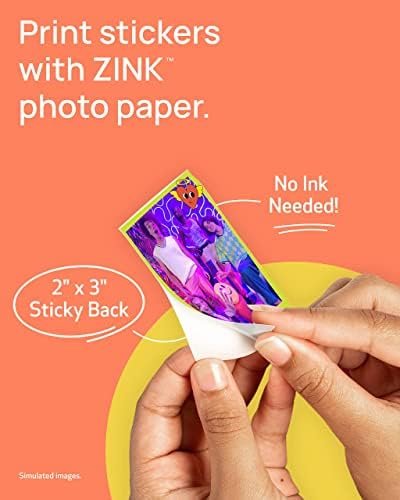
Description From the manufacturer Print Directly from Your Compatible Smartphone* Better connectivity for mobile printing using compatible smartphone devices with Bluetooth 5.0. Charge Fast Fast Charging for Those Last-minute Keepsakes Full charge in as little as 45 minutes.* Sticky Back Peel-and-stick Anywhere Every print is a sticker. Each 2″ x 3″ photo has a peel-and-stick adhesive backing. Next page 1 Photo Quality 2 Bluetooth 3 Charge Fast 4 Sticky Back 5 What’s in the box Previous page Canon Mini Print App* Enhance the look of your images with stickers, frames, text, emojis, and the drawing tool. Frame & Sticker Canon Mini Print App lets you decorate with frames, stickers, text, emojis and more before printing! Creative Filters Print your photos with a white border frame and/or choice of vivid or B&W filter! Collage Prints Add fun stickers, effects, and create fun collages and print designs with Collage & Tile Print! Next page 1 Customize Your Space 2 Canon Mini Print App 3 Frame & Sticker 4 Creative Filters 5 Collage Prints Previous page Download Download the Canon Mini Print App* to print photos using the IVY 2 Mini Photo Printer! Power Up Charge your printer with the USB-C cord and wait for the light to change from red to green. Load Paper Open the back lid to place the blue SMART SHEET in first, followed by the Zink photo paper. Connect Connect the printer to your smartphone via Bluetooth. Then open the app* and add the new printer. Print. Peel. Stick.


Related products
-
 House on the Flemish coastSelect options
This product has multiple variants. The options may be chosen on the product page
House on the Flemish coastSelect options
This product has multiple variants. The options may be chosen on the product page
-
 Interior office Strijp-TSelect options
This product has multiple variants. The options may be chosen on the product page
Interior office Strijp-TSelect options
This product has multiple variants. The options may be chosen on the product page
-
 Bakery van Vessem – HaarlemSelect options
This product has multiple variants. The options may be chosen on the product page
Bakery van Vessem – HaarlemSelect options
This product has multiple variants. The options may be chosen on the product page